A T-Mobile 5G Home Internet antenna can improve signal strength and stability if you have a compatible gateway and place the antenna correctly.
If your T-Mobile Home Internet connection feels slow, unstable, or drops frequently, an external antenna might help. However, the results depend on your gateway model, signal conditions, and how you install the antenna.
This guide is for T-Mobile Home Internet users dealing with weak signals, inconsistent speeds, or connection issues who want to know whether an external antenna is worth buying.
Table of Contents
Does T-Mobile Home Internet Support External Antennas?
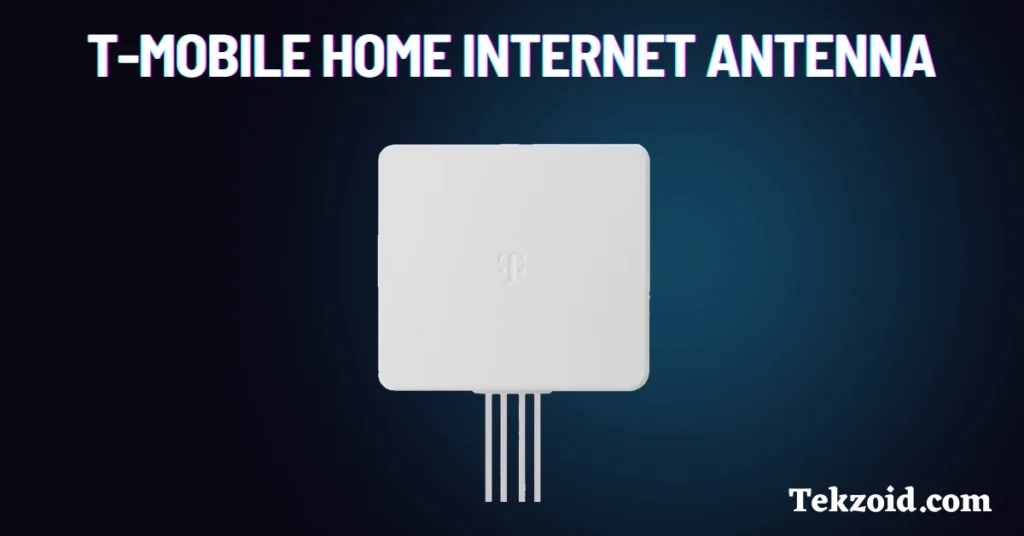
Before purchasing an antenna, you need to check your gateway model.
Not every T-Mobile Home Internet gateway supports external antennas. Buying an antenna without checking compatibility can lead to unnecessary expenses.
Currently, these gateway models officially support external antennas:
- G4AR Gateway
- G4SE Gateway
These devices include four antenna ports located on the bottom of the gateway.
Some older T-Mobile gateways do not provide accessible antenna ports. While you may find online tutorials showing hardware modifications, these changes can void your warranty and potentially damage the device.
Always verify your gateway model before purchasing any external antenna.
What an External Antenna Can Actually Improve
Many users assume that an antenna automatically increases internet speed.
That isn’t always true.
An external antenna does not increase the maximum speed included with your internet plan. It also cannot fix network congestion on a busy tower.
What it can improve is:
- Signal strength
- Signal stability
- Connection reliability
- Indoor reception quality
For example, if your gateway receives a weak signal because you’re far from the nearest tower or your home has thick walls, an external antenna may help capture a stronger signal.
Many users report fewer connection drops and more consistent performance after installing an antenna correctly.
The biggest improvements are usually seen in areas with weak or obstructed signals.
Who Should Consider an External Antenna?
An external antenna is often useful for people who:
- Live in rural areas
- Are far from a T-Mobile cell tower
- Have thick concrete or brick walls
- Experience signal fluctuations during the day
- Keep their gateway in an interior room or basement
If you already have excellent signal strength and stable speeds, an antenna may not provide a noticeable improvement.
Understanding your current signal conditions can help you decide whether the upgrade is worth it.
How to Set Up an External Antenna on G4AR and G4SE
Setting up an external antenna on a supported gateway is relatively simple.
By default, these gateways use their built-in internal antennas.
To switch to an external antenna:
Step 1: Locate the Antenna Ports
Find the ANT1, ANT2, ANT3, and ANT4 ports on the bottom of the gateway.
Step 2: Connect All Four Cables
Make sure every antenna cable is connected.
Using fewer than four connections can reduce performance and affect signal quality.
Step 3: Enable the External Antenna Option
Access your gateway settings or on-screen controls and select the External Antenna option.
Step 4: Wait for the Gateway to Reconnect
The gateway may briefly disconnect while switching antenna modes.
This is normal.
Once the process finishes, the gateway automatically begins using the external antenna.
Antenna Placement Tips That Matter
Many people spend time researching antennas but overlook placement.
In many cases, placement has a bigger impact than the antenna itself.
Here are some practical tips:
Place the Antenna Near a Window
Windows often allow cellular signals to pass through more easily than walls.
Install It Higher Up
Higher placement can reduce obstacles and improve signal reception.
Avoid Metal Objects
Large metal surfaces can interfere with signal quality.
Keep Away From Electronics
Devices like microwaves, televisions, and large appliances can create interference.
Point Directional Antennas Toward the Tower
If you’re using a directional antenna, proper alignment is important.
Point it toward the nearest T-Mobile tower for the best results.
Test Multiple Locations
Small position changes can sometimes make a noticeable difference.
Before mounting the antenna permanently, test several locations around your home.
What If the Problem Is Wi-Fi Coverage?
Sometimes the issue isn’t the cellular signal.
The problem may be Wi-Fi coverage inside your home.
If your gateway receives a strong cellular signal but some rooms have weak Wi-Fi, a mesh Wi-Fi system may be a better solution.
Mesh devices help extend coverage throughout your home and reduce dead zones.
I’ve seen users spend money on antennas when the real problem was poor Wi-Fi coverage. Identifying the actual issue first can save both time and money.
Also, check our blog on how to fix T-Mobile Home internet Connection issues.
Video Guide:
Is a T-Mobile 5G Home Internet Antenna Worth It?
For users with weak or unstable signals, an external antenna can be a worthwhile upgrade.
The biggest factors are:
- Gateway compatibility
- Proper installation
- Good antenna placement
- Local network conditions
An antenna can improve signal quality and connection stability, but it cannot overcome tower congestion or increase your plan’s speed limits.
If your gateway supports external antennas and you’re struggling with poor reception, an external antenna may help create a more reliable internet connection.
FAQs
Does an external antenna make T-Mobile Home Internet faster?
An external antenna can improve signal quality, which may lead to better speeds in weak-signal areas. However, it does not increase your plan’s maximum speed.
Which T-Mobile gateways support external antennas?
The G4AR and G4SE gateways officially support external antennas and include four antenna ports for setup.
Do I need to connect all four antenna cables?
Yes. All four antenna cables should be connected to ensure proper signal reception and performance.
