If you’re an Xfinity Internet customer and have an Xfinity Flex Box, you may be wondering what it does, how to set it up, and whether Xfinity still offers it.
Xfinity Flex is a streaming device that connects to your TV and Xfinity Internet. It gives you access to supported streaming apps and entertainment from one interface.
There is also an important update for new customers. Xfinity Flex is no longer available to new Xfinity Internet customers. Xfinity now provides the Xumo Stream Box instead.
Here’s everything you need to know about Xfinity Flex.
Table of Contents
What Is the Xfinity Flex Box?
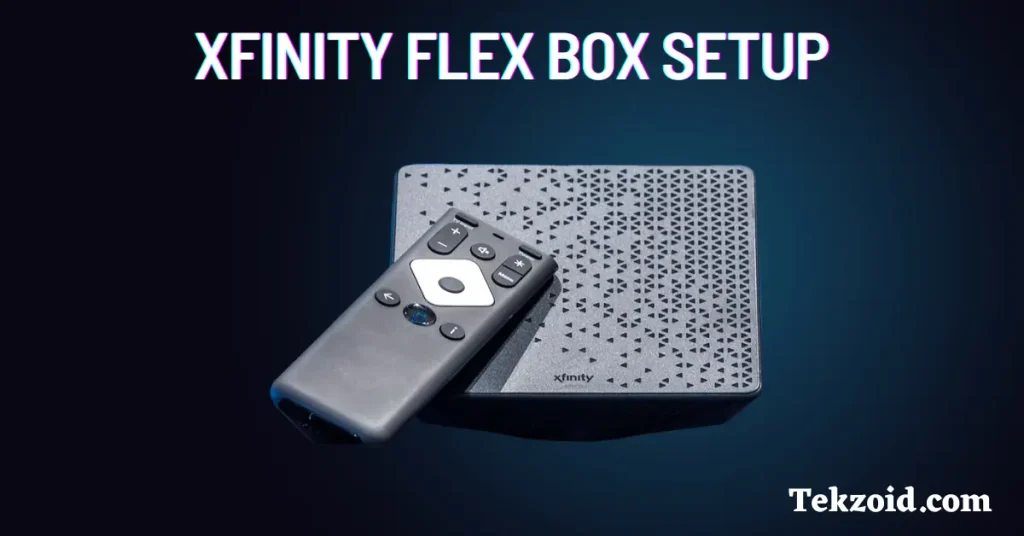
The Xfinity Flex Box is a streaming device designed for Xfinity Internet customers.
You connect the box to your TV and Xfinity Internet connection. Once it’s set up, you can use it to access supported streaming apps, search for shows and movies, and browse entertainment.
The Flex Box also comes with the Xfinity Voice Remote, which lets you search for content using voice commands instead of typing everything with the remote.
Flex can be useful if you want to access multiple streaming services from one TV interface without switching between different devices.
What Can You Do With Xfinity Flex?
Access Streaming Apps
Xfinity Flex supports several popular streaming services.
Depending on the current availability and your subscriptions, you can access services such as:
- Netflix
- Prime Video
- Hulu
- Peacock
- YouTube
- Disney+
- Apple TV
- Paramount+
- Spotify
Keep in mind that having access to an app through Flex doesn’t necessarily mean the content is free.
Many streaming services require their own subscriptions. For example, you’ll still need a Netflix subscription to watch Netflix content.
Use the Xfinity Voice Remote
One of the useful features of Flex is the Voice Remote.
Instead of typing the name of a movie or show using an on-screen keyboard, you can press the microphone button and speak your search.
For example, you can search for a movie, TV show, actor, or streaming app using your voice.
This can make searching easier, especially when you’re trying to find a specific title.
How to Set Up Xfinity Flex
Setting up an Xfinity Flex Box is relatively straightforward.
1. Connect Flex to Your TV
Connect the Flex Box to your television using the appropriate HDMI connection.
Then connect the device to power.
2. Select the Correct HDMI Input
Turn on your TV and select the HDMI input connected to your Flex Box.
You should see the Xfinity setup screen.
3. Connect to Xfinity Internet
Follow the on-screen instructions to connect Flex to your Xfinity Internet service.
The device needs an internet connection to access streaming services and other online features.
4. Pair the Voice Remote
Follow the instructions shown on your TV to pair the Xfinity Voice Remote with the Flex Box.
Once the remote is connected, you can use it to navigate menus and search for content.
5. Finish the Setup
Continue following the on-screen instructions to complete the setup.
Once everything is configured, you can start opening supported apps and watching content.
Is Xfinity Flex Still Available?
This is where things have changed.
Xfinity Flex is no longer available to new Xfinity Internet customers.
Xfinity has moved to the Xumo Stream Box as the newer streaming device for new customers.
However, if you’re an existing Xfinity customer who already has an Xfinity Flex Box, you can continue using the device for supported streaming and entertainment.
So, there are two different situations:
Existing Flex customer: You can continue using your Flex Box.
New Xfinity Internet customer: Xumo Stream Box is the newer option provided by Xfinity.
Xfinity Flex vs Xumo Stream Box
If you’re confused about the difference, the easiest way to look at it is based on when you became an Xfinity customer.
| Feature | Xfinity Flex | Xumo Stream Box |
|---|---|---|
| Existing Flex customers | Yes | N/A |
| New Xfinity customers | No longer offered | Newer option |
| Streaming apps | Yes | Yes |
| Voice remote | Yes | Yes |
| Requires internet | Yes | Yes |
| Purpose | Xfinity streaming device | Newer Xfinity streaming device |
The exact apps and features available can change over time, so check the current service availability when setting up or replacing a device.
Should You Still Use Xfinity Flex?
If you already have a Flex Box and it’s working properly, there’s generally no reason to replace it just because Xfinity now offers the Xumo Stream Box to new customers.
You can continue using Flex for supported streaming services and entertainment.
If you’re a new Xfinity Internet customer, however, you won’t be able to request a new Flex Box. Xumo Stream Box is the newer device offered by Xfinity.
Things to Know About Xfinity Flex
There are a few things worth remembering.
Streaming subscriptions are separate. Flex gives you access to supported apps, but you may need individual subscriptions to watch their content.
You need Xfinity Internet. Flex is designed for Xfinity Internet customers.
App availability can change. Streaming services supported today may change in the future, so check Xfinity’s current app lineup if a specific service is important to you.
Existing customers can keep using Flex. The fact that Flex is no longer offered to new customers doesn’t mean existing devices immediately stop working.
FAQs
Can I still get an Xfinity Flex Box?
New Xfinity Internet customers can no longer get Xfinity Flex. Xfinity has replaced it with the Xumo Stream Box. Existing Flex customers can continue using their devices.
Does Xfinity Flex include Netflix for free?
No. Xfinity Flex provides access to supported streaming apps, but services such as Netflix generally require their own subscriptions.
Does Xfinity Flex need WiFi?
Yes. Xfinity Flex needs an internet connection to access streaming services and online content. It is designed to work with Xfinity Internet.
Video Guide:
Final Thoughts
The Xfinity Flex Box is a streaming device that lets existing Xfinity Internet customers access supported streaming apps, search for content, and control their TV experience using the Xfinity Voice Remote.
The biggest thing to know in 2026 is that Xfinity Flex is no longer available to new Xfinity Internet customers. Xfinity now uses the Xumo Stream Box for new customers.
If you already have Flex, you can continue using it for supported services. If you’re signing up for Xfinity Internet now, Xumo is the newer streaming device to look at.
